“Relay fixes Supernote's weak link - integrated reminders! This is thoughtfully designed software, elegantly executed. Has the flexibility to match how you manage your tasks. The 2-way sync with Apple Reminders is great!”
— J. Saper
Relay is the Mac companion app for your Supernote. Push your handwritten to-dos to Todoist, Apple Reminders, Things 3, TickTick, Google Tasks or Asana — one, a list, or everything, as a clean one-way hand-off. Or switch to Two-way sync and keep your Supernote and Apple Reminders in step, both ways.
Free 5 day trial — fully working, no card, no account · then £20.00 once, no subscription.
How it works
Relay has two modes. Push hands your Supernote to-dos to the task apps you already use, one way. Two-way sync keeps your Supernote and Apple Reminders matched, both ways. Pick one to see how it works.
Your Supernote to-dos are handed over to your task app once. After that they’re yours to manage there.
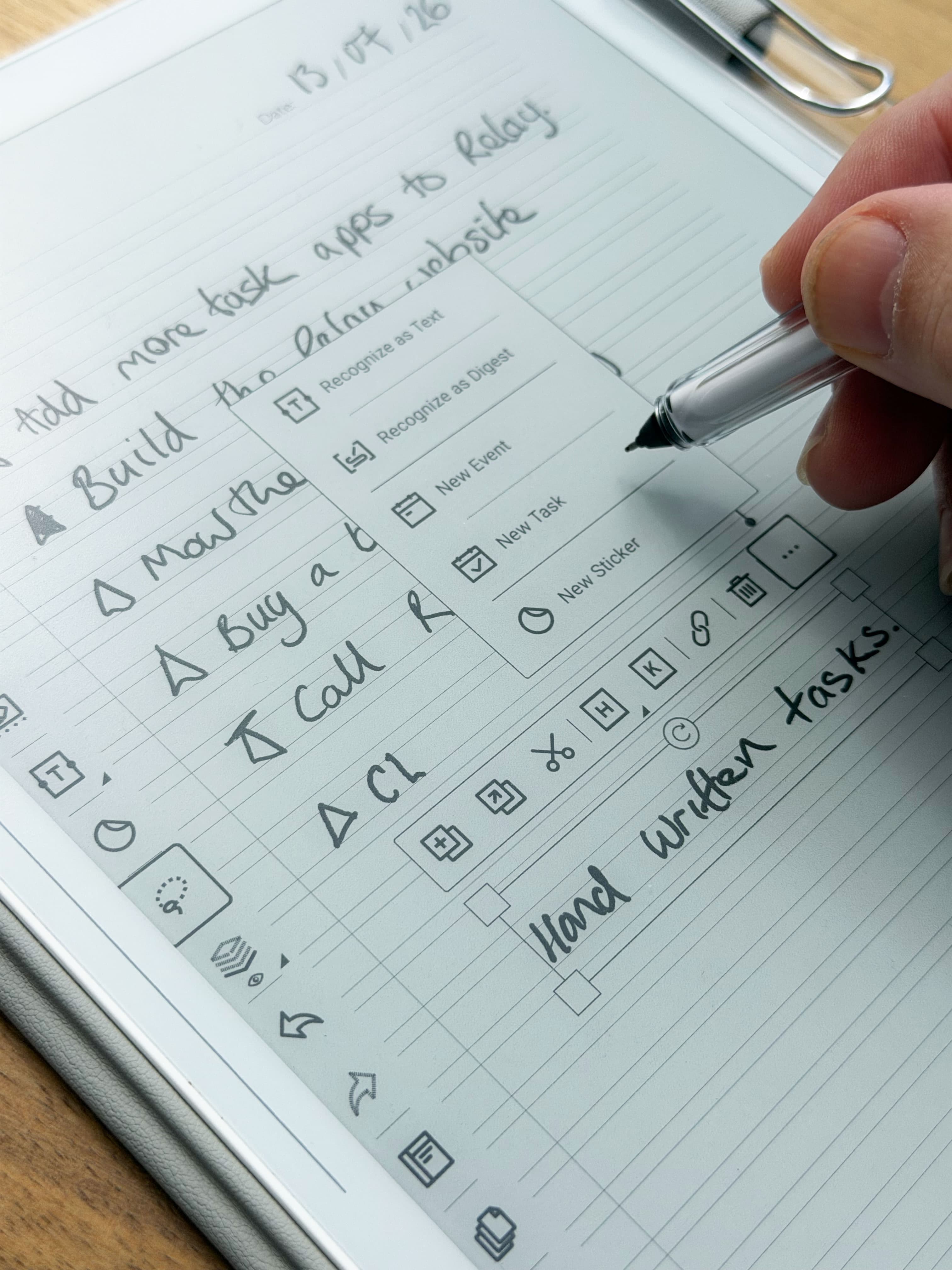
1. Capture on your Supernote
Write as usual, then turn handwriting into a task the way you already do — it lands in the Supernote’s built-in To-Do app. No OCR guesswork by Relay.
2. It reaches your Mac
Relay signs in with your own Supernote account and is kept in step with your Supernote — tick a to-do off on the tablet or in Relay, and it’s ticked in both.
3. Push it anywhere
Send to-dos on to Todoist, Apple Reminders, Things 3, TickTick, Google Tasks or Asana — a one-way hand-off, with the original handwritten page linked when there is one.
PushYour Supernote and one task app are kept in step. Change something in either place and the other follows.
1. Capture on your Supernote
Write as usual, then turn handwriting into a task the way you already do — it lands in the Supernote’s built-in To-Do app. No OCR guesswork by Relay.
2. It reaches your Mac
Relay signs in with your own Supernote account and is kept in step with your Supernote — tick a to-do off on the tablet or in Relay, and it’s ticked in both.
3. Keep it in step with Reminders
Connect Apple Reminders, switch in Settings → Modes and choose which lists take part. From then on, changes travel both ways on every sync.
Two-way syncBetaNeither is the better mode, and you can switch whenever you like — Relay spells out exactly what will change before it does.
What you can do
Push
Hand-pick a single to-do, send a whole list, or push the lot — to one app or several at once. Every push is a clean, one-way hand-off: no duplicates, nothing sent twice.
Two-way syncBeta
Add, rename, re-date, tick off, move or delete a to-do on your Supernote, in Relay or in Apple Reminders, and the other side follows on the next sync. Nothing is filed away, because nothing is handed over.
The app
Relay is the missing part of your workflow. See all your Supernote to-dos in one quiet window — quickly complete, reorder, set dates, open handwritten pages and bulk manage. Then push them to your task apps, keep them in step with Apple Reminders, or leave them in the Relay app. It’s up to you.
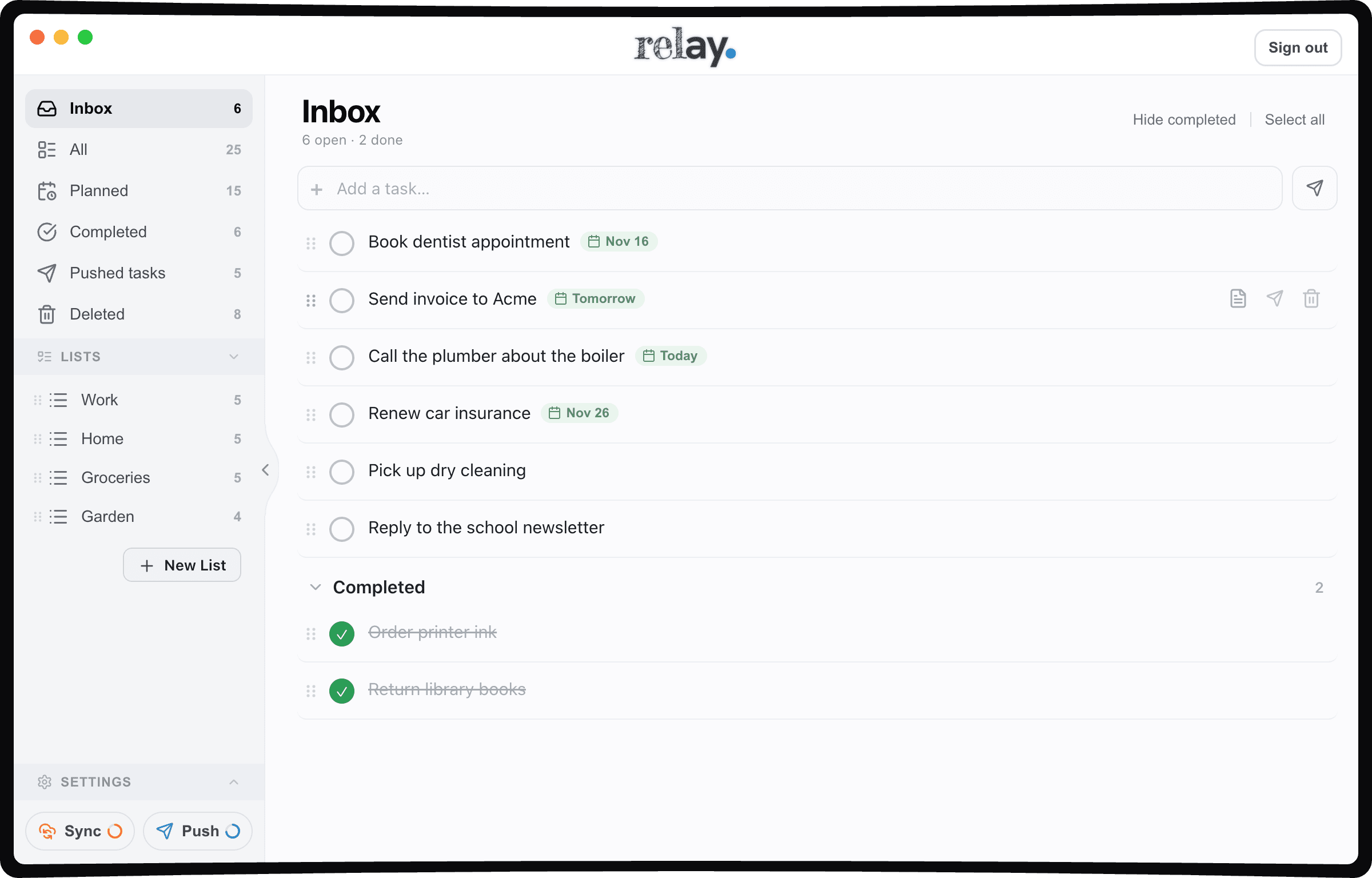
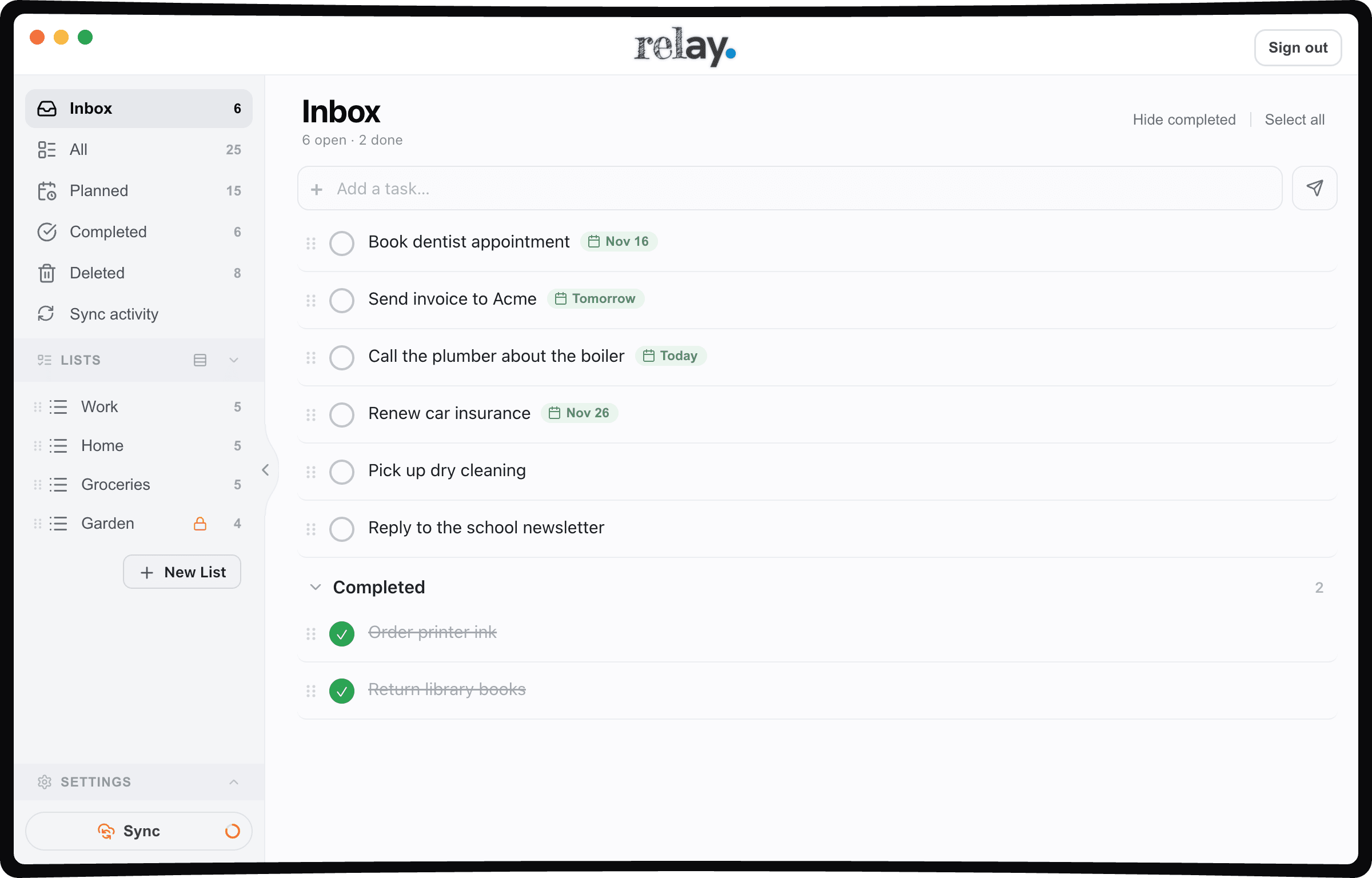
Push works with every app Relay connects to. Two-way sync works with one app at a time, and Apple Reminders is the one that supports it.
| Task app | Push | Two-way sync Beta |
|---|---|---|
 Apple Reminders | ||
 Todoist | Push only | |
 Things 3 | Push only | |
 Google Tasks | Push only | |
 TickTick | Push only | |
 Asana | Push only |
Good to know
No — Relay is an independent, unofficial companion app for Supernote. It isn’t made by Supernote or the task apps; it works alongside them by signing in with your own Supernote account.
Push hands each Supernote to-do over to your task apps once, one way — all six apps, as many at once as you like. Two-way sync (Beta) keeps your Supernote and Apple Reminders matched, both ways. Neither is the better mode, and you can switch whenever you like.
Free to try. A licence is £20.00, one-time — no subscription, no account. That's it.
A Supernote (Manta or Nomad), its cloud account, and an Apple Silicon Mac — macOS 12 or later.
Reviews
5 average · 3 reviews
“Relay fixes Supernote's weak link - integrated reminders! This is thoughtfully designed software, elegantly executed. Has the flexibility to match how you manage your tasks. The 2-way sync with Apple Reminders is great!”
— J. Saper
“love this app - solves a big gap for me in that I can take notes and create tasks as normal with my Nomad, and seamlessly sync to Todoist so i can track - with the context of the note/meeting the task came from attached - beautiful!”
— Aaron Stewaret
“So far, it has been a really good app and I am so happy to have this integration. Thank you so much for this”
— Todd
Download Relay, sign in with your Supernote account, and your tasks are on your Mac in seconds.
Free 5 day trial — every feature, no card, no account. Keep it for £20.00, once — no subscription.
Relay is built by one person — me, Geoff — and I run my own days through it. If anything doesn’t make sense, tell me and I’ll fix it or answer you myself.
Don’t have a Supernote yet?
Write your to-dos by hand on a Supernote, then let Relay push them into the task app you already use. I write on mine every day — here are the two to look at.