Sync Supernote tasks to your favourite to-do apps
Relay is the Mac companion app for your Supernote. Your handwritten to-dos, synced straight into Todoist, Apple Reminders, Things 3, TickTick, Google Tasks or Asana — push one, a list, or everything. Pushing is a clean one-way hand-off: your task app owns it from there.
Free 7 day trial — fully working, no card, no account · then £15.00 once, no subscription.

How it works
Handwritten tasks. Digital organisation.
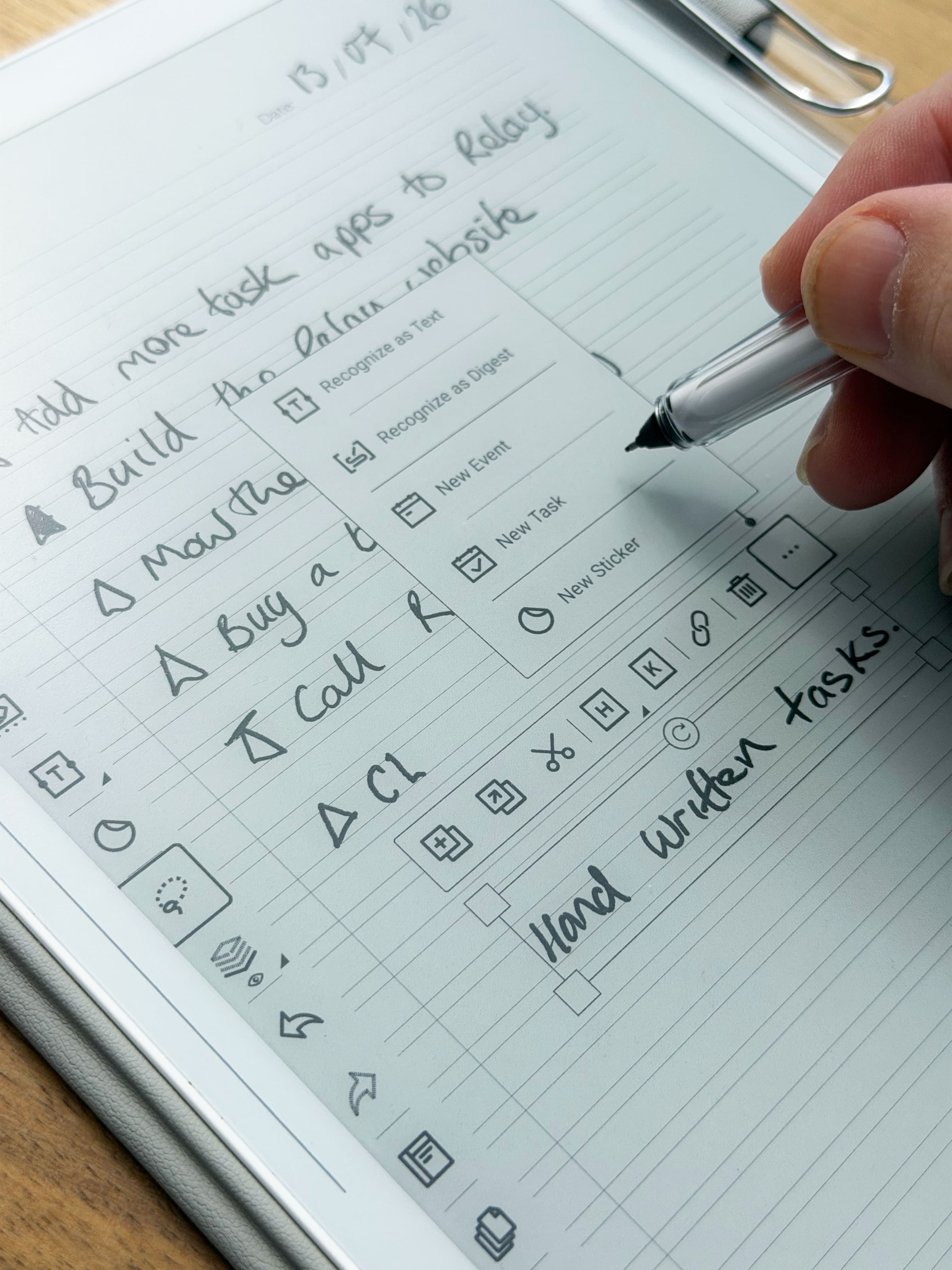
Write on your Supernote as usual. When your Mac wakes, Relay collects your to-dos from the Supernote cloud — and pushes them wherever you’ve decided.
to your app of choosing (with more coming)
1. Capture on your Supernote
Write as usual, then turn handwriting into a task the way you already do — it lands in the Supernote's built-in To-Do app. No OCR guesswork by Relay.
2. It syncs to your Mac
Relay signs in with your own Supernote account and keeps to-dos in step both ways — tick one off on the tablet or in Relay, it updates in both.
3. Push it anywhere
Send tasks on to Todoist, Reminders, Things 3, TickTick, Google Tasks or Asana — a one-way hand-off, with the original handwritten page linked when there is one.
What you can do
Made for how you work
Push one task, a list, or everything
Hand-pick a single to-do, send a whole list, or push the lot — to one app or several at once. Every push is a clean, one-way hand-off: no duplicates, no sync loops.
The app
Every task, on your Mac
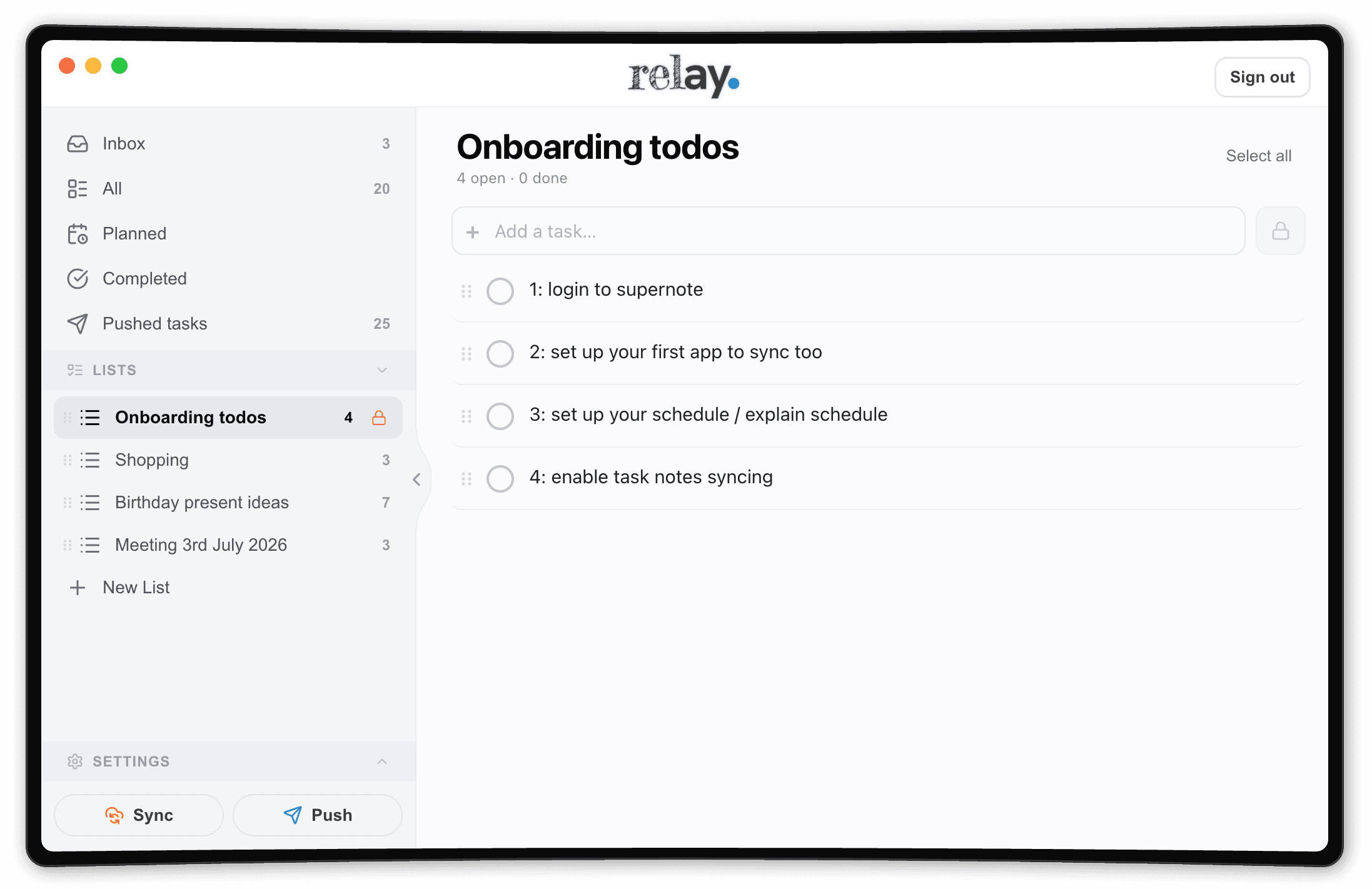
Relay is the missing part of your workflow. See all your Supernote to-dos in one quiet window — quickly complete, reorder, set dates, open handwritten pages, bulk manage, and push tasks to your task apps. Or leave it in the Relay app. It’s up to you.

with more on the way
Good to know
Questions, answered honestly
Is Relay an official Supernote app or plugin?
No — Relay is an independent, unofficial companion app for Supernote. It isn’t made by Supernote or the task apps; it works alongside them by signing in with your own Supernote account.
Does pushing keep tasks in sync?
Pushing is a one-way hand-off, by design — once a Supernote to-do lands in Todoist, Reminders or your app of choice, that app owns it. No duplicate chaos.
What does it cost?
Free to try. A licence is £15.00, one-time — no subscription, no account. That's it.
What do I need?
A Supernote (Manta or Nomad), its cloud account, and a Mac — macOS 12 or later.
Ready when you are.
Download Relay, sign in with your Supernote account, and your tasks are on your Mac in seconds.
Free 7 day trial — every feature, no card, no account. Keep it for £15.00, once — no subscription.
Relay is built by one person — me, Geoff — and I run my own days through it. If anything doesn’t make sense, tell me and I’ll fix it or answer you myself.
Don’t have a Supernote yet?
Get the tablet Relay was made for.
Write your to-dos by hand on a Supernote, then let Relay push them into the task app you already use. I write on mine every day — here are the two to look at.